Department Management Productivity report
The Department Management Productivity report provides a comprehensive view of productivity, staffing, and labor costs across departments. Use this report to evaluate performance, compare actual results to targets, and identify areas for improvement.
The report combines key productivity metrics, including:
-
Units of Service (UOS)
-
Full-Time Equivalents (FTEs)
-
Worked Hours per Unit of Service (WHPUOS)
-
Salary Expense
- Average Hourly Rates (AHRs)
These metrics help you analyze variances, compare actual results to targets, and identify opportunities for improvement, such as benchmarks, flexible budgets, and fixed budgets.
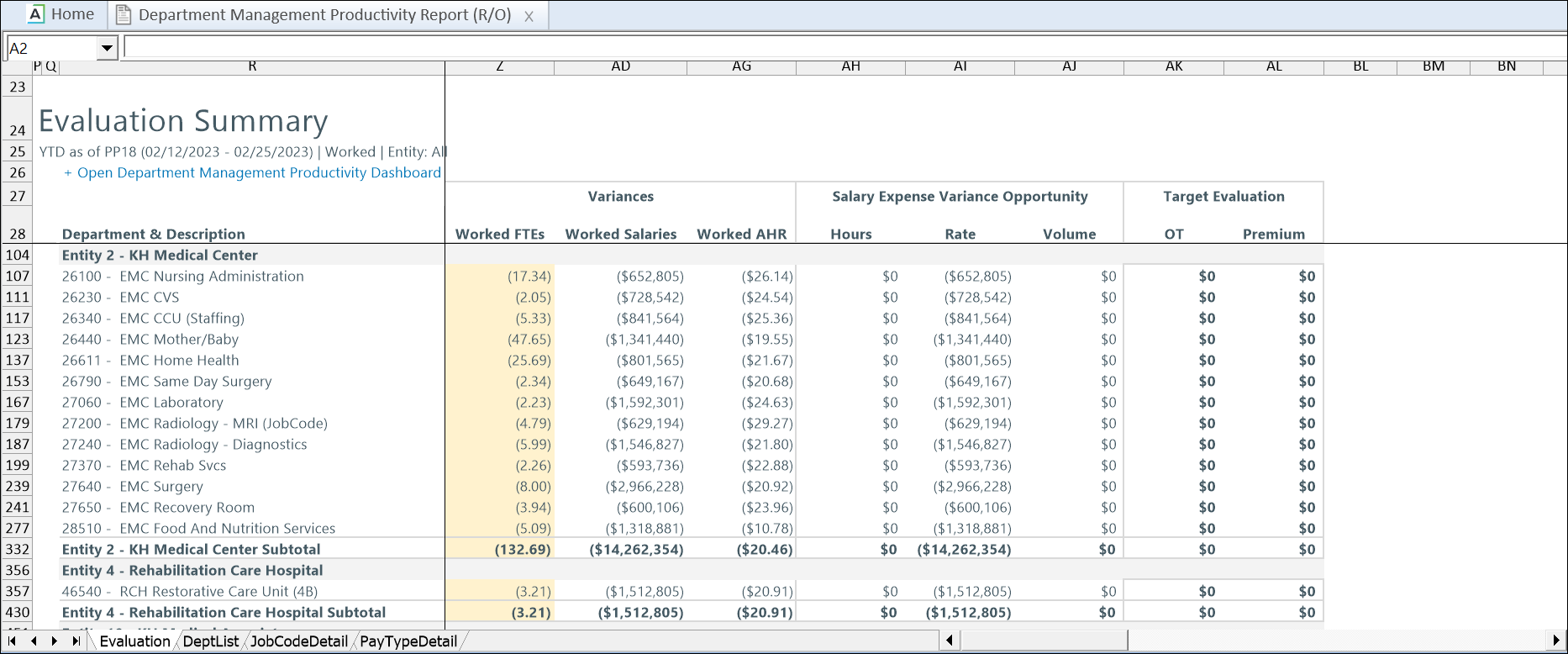
How the report is organized
| Report tab | Description |
|---|---|
| Evaluation | Default tab. Summarizes departments with unfavorable performance and highlights related opportunity costs. |
| DeptList |
Displays year-to-date productivity data by department and highlights variances from targets |
| JobCodeDetail |
Displays productivity and labor data by job class, job code, and employee. The department actual and budget data are displayed at the Jobclass level. |
| PayTypeDetail |
Displays hours and labor costs by pay type as defined in PayType dimension > LaborDist column. |
Data and performance considerations
This report combines multiple data sources. To improve performance and reduce processing time, apply filters to limit the amount of data returned—especially when running the report in Excel.
This report uses multipass file processing. See Configuring multipass settings for file processing.
Security permissions
To access this report, you must be assigned the following security permissions:
- Productivity Admin
- Productivity User
- Report Subsystem Permissions
Access the report in Axiom Assistant
Go to Main > Navigation > Explorer > Libraries > Reports Library > Productivity Reporting > BiWeekly Productivity > Department Management Productivity Report
Refresh variables
The following refresh variables are available for the Department Management Productivity report.
| Refresh variable | Description | Required? |
|---|---|---|
| Select DEPT Dimension Filter |
Select department dimensions |
Yes |
| Select Entity/Entities |
Dynamic options available based on the selected DEPT Dimension Filter. |
No |
| Show Worked or Paid |
Select Paid to display Non-Productive and Total Paid columns. Worked is the default. |
Yes |
| Year-To-Date or Individual Period |
Select Individual Period to view specific pay period data. Year-To-Date is the default. |
Yes |
| Select Pay Period |
Select a pay period to view data for that period or year-to-date. Current Pay Period is the default. |
Yes |
| Load Department List Detail | Loads pay period trend data. | No |
| Load Jobcode Detail | Loads job class, job code, and employee-level data, including overtime and premium pay salary expense details. | No |
| Load Pay Type Detail | Loads the pay type details for hours and dollars, including premium pay activity. | No |
Report views
NOTE: On the JobCode Detail tab, click the arrow in the upper-left or select the Load Jobcode Detail refresh variable to refresh the page before applying the Change View function.
Click Change View and select one of the following view types:
| View type | Description | Tabs |
|---|---|---|
| Default | Displays all records. | All |
| Unfavorable Audit |
Displays records with highlighted unfavorable variances in the following columns:
|
Dept.List
|
| JobClass | Displays Hours and Salary Expense by Jobclass. | JobCodeDetail |
| Employee | Displays Hours and Salary Expense by Employee. Includes Overtime and Premium Opportunity calculations. | JobCodeDetail |
| JobCode | Displays Hours and Salary Expense by Jobcode. | JobCodeDetail |
The Department Management Productivity report includes the following tabs:
