Department History tab
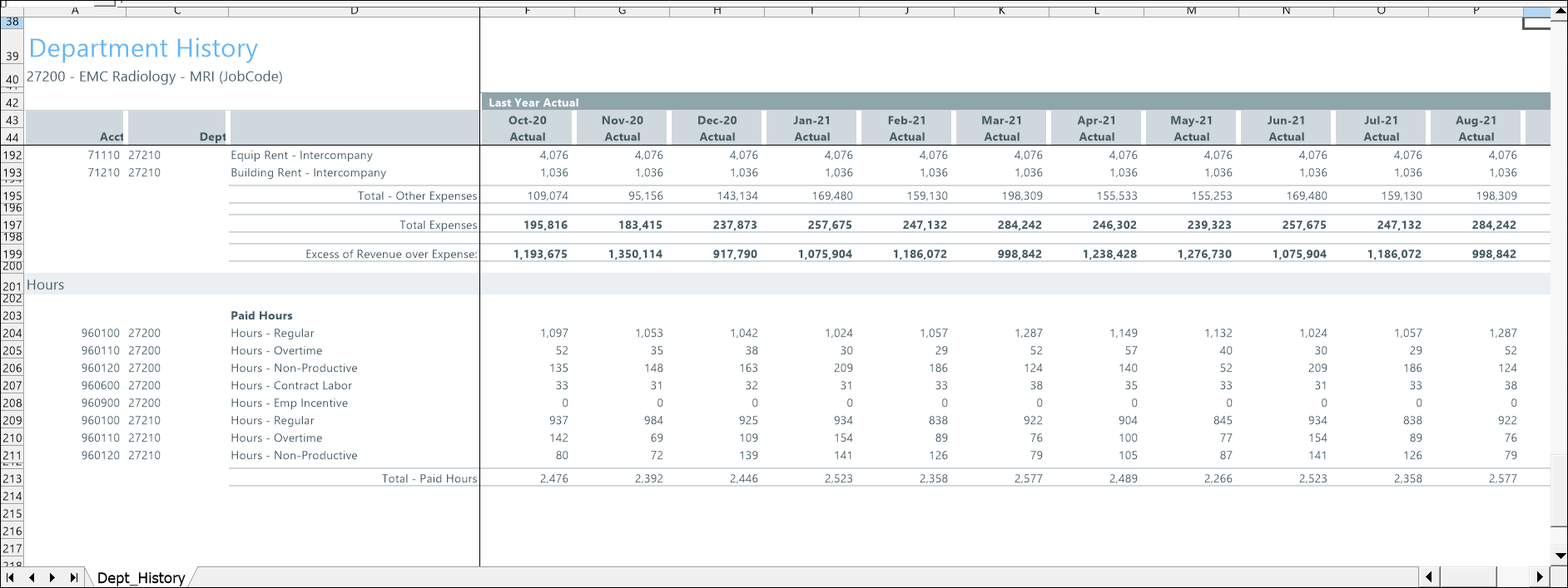
The Department History tab shows historical data for statistics, revenue, expenses, and hours for up to the last 18 months.
Use this tab to review past trends and validate data before creating or updating a budget.
Sections
This tab includes the following sections:
-
Last Year Actual - Displays actual values from the previous fiscal year.
-
Current Year Actual - Displays year-to-date (YTD) actual values.
-
Department History used for Monthly Spreads - Combines current-year and prior-year actuals to create a full 12 months of data used to spread budget values.
How monthly spreads work
The Monthly Spreads section fills in missing months by using values from the same months in the prior year. This creates a complete 12-month pattern that the system uses to distribute budget amounts.
For example, if a department spends more at the beginning of the year, the system allocates more of the budget to those months.
IMPORTANT: Review the Last Year Actual and Current Year Actual sections for missing or incorrect data before creating a budget. Data issues can affect how budget values are spread across multiple months.
This table describes the sections and columns in the Department History tab.
| Section | Field | Description |
|---|---|---|
| Last Year Actual | Monthly Actual columns | Displays actual values for each month in the previous fiscal year. |
| Last Year Actual | Total rows (for example, Total Expenses, Total Paid Hours) | Displays the totals for each category based on monthly values. |
| Current Year Actual | Monthly Actual ciolumns | Displays actual values for each month in the current fiscal year. |
| Current Year Actual | YTD | Displays the year-to-date total for the current fiscal year. |
| Department History used for Monthly Spreads | Monthly Actual columns | Displays a full 12 months of data used to spread budget values. |
| Department History used for Monthly Spreads | Total rows | Displays totals based on the combined monthly values used for spreading. |
| All sections | Acct | Identifies the account associated with the data. |
| All sections | Dept | Identifies the department associated with the data. |
| All sections | Description | Displays the name of the account or category (for example, Supplies or Paid Hours). |
