Set payroll dates
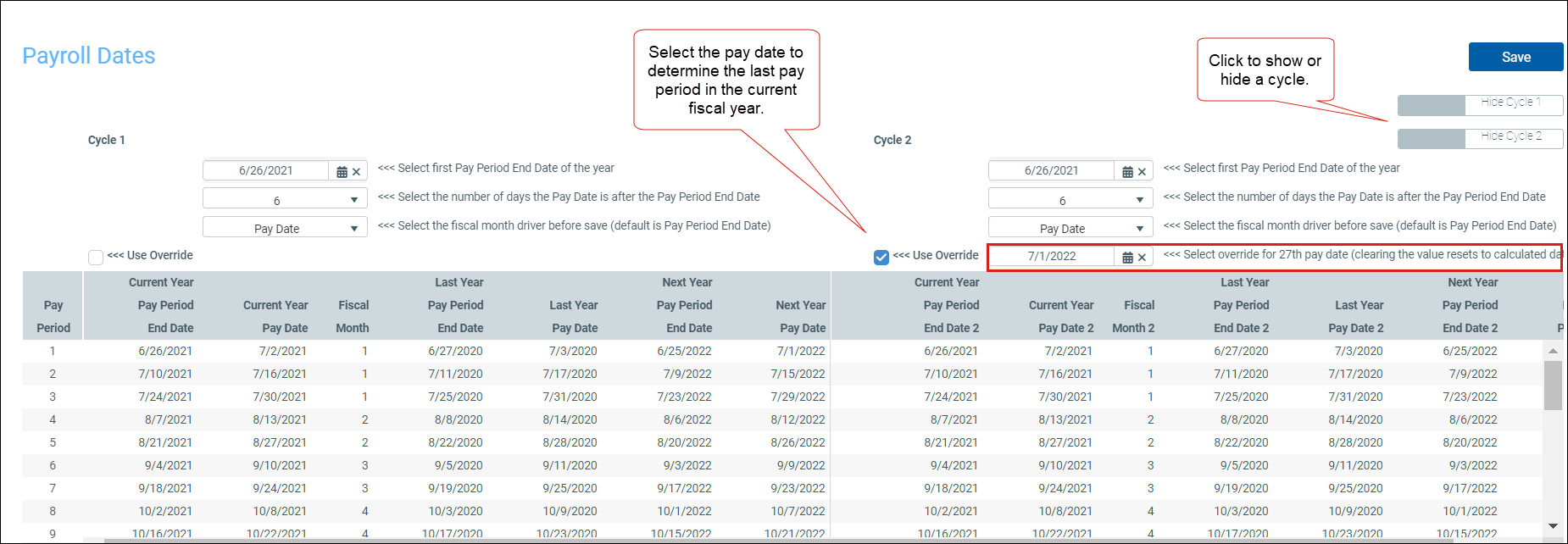
Use this table to calculate your organization's pay period dates for two pay cycles based on pay period ending date Includes the first pay period with an end date in the current fiscal year. and pay date Includes the first pay period with a pay date in the current fiscal year. fiscal month drivers. This table is used in many of the productivity and pay period reports.
IMPORTANT: Organizations with more than two cycles do not display in Payroll Dates.
-
Go to Admin > Admin Task Panes > Management Reporting Admin > Data Maintenance and double-click Update Payroll Dates Table.
-
(Optional) Click Use Override to select the pay date and identify the last pay period in the current fiscal year.
-
Complete the selections for Cycle 1 and Cycle 2.
TIP: You can hide or show a cycle using the toggles under the Save button.
-
Click Save .
