Labor rate integration with Empl_List
Labor rate configurations are matched to employee records through the Empl_List tab.
If the Empl_List tab contains employee review dates, the JobCode and Staffing tabs apply merit increases based on those dates. Otherwise, merit increases are applied in the first fiscal period.
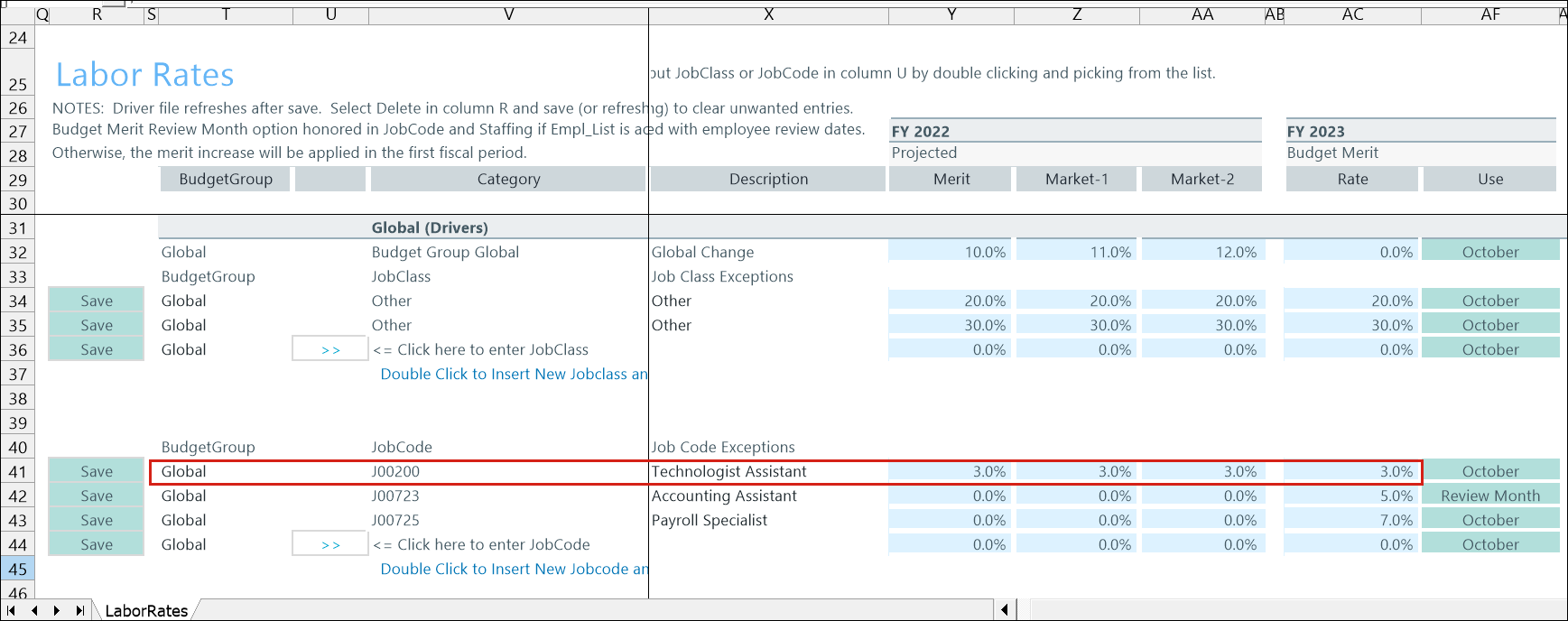
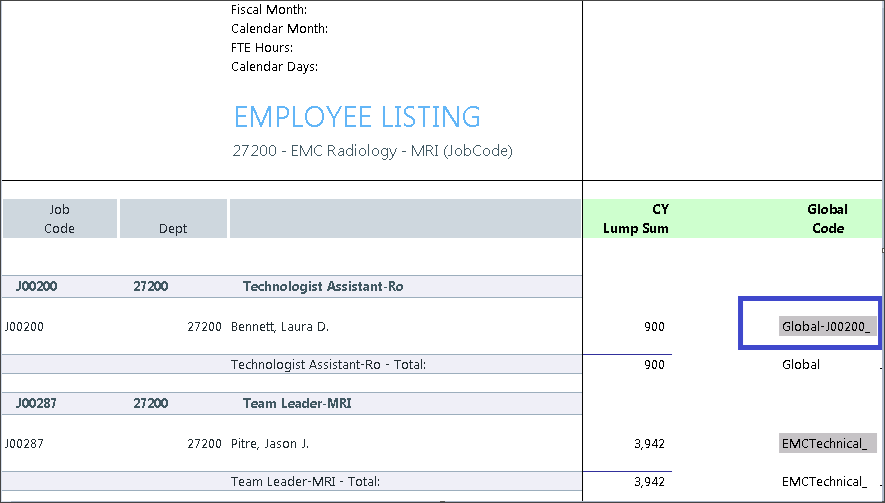
In the following example:
The Labor Rates driver contains the configuration Global-J00200
The same value appears in the Global Code column in the Empl_List tab.
The system uses this value to apply the configured increase to matching employees.
Employee List population
Employee_Roster_YYYY table is a mandatory component when using the Employee Salary method. It populates the Empl_List tab and the individual employee rows within the Employee salary sheet.
Step matching
The Step code assigned in the 14 Budget Labor Rates Driver is matched to the Step code in the Empl_List tab to apply driver adjustments to applicable employees.
Employee-level calculations
If multiple employees are budgeted in a single jobcode, a weighted average increase is calculated in the Empl_List tab and applied each month on the Salary sheet.
Empl_List calculation precedence
Calculations on the Empl_List tab are referenced first on the Salary sheets when budgeting the merit increases to maintain consistency in the calculations across salary methods. This process ensures that Step increases are applied, if provided.
Employee-level Step requirements
Populating the Empl_List from the Employee_Roster_YYYY table is required to assign Step increases at the employee level.
