Configure step increases
Important considerations when configuring the Labor Rate driver to assign Step increases in the Salary Sheets:
Step prerequisites
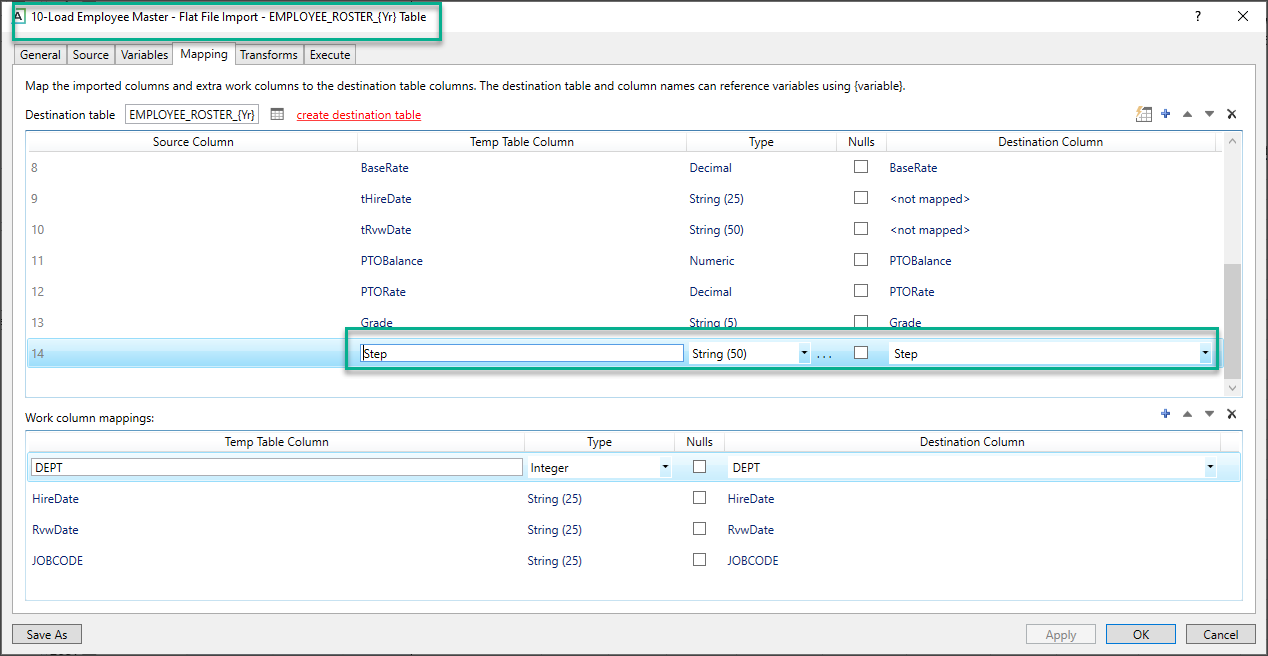
Step rate adjustments are assigned in Payroll at the employee level. To apply step rate adjustments from the 14 Budget Labor Rates Driver, the Step fields must be provided in the Employee Master source file. A standard import called Load Employee Master is provided to populate the Employee_Roster_YYYY tables.
Missing step behavior
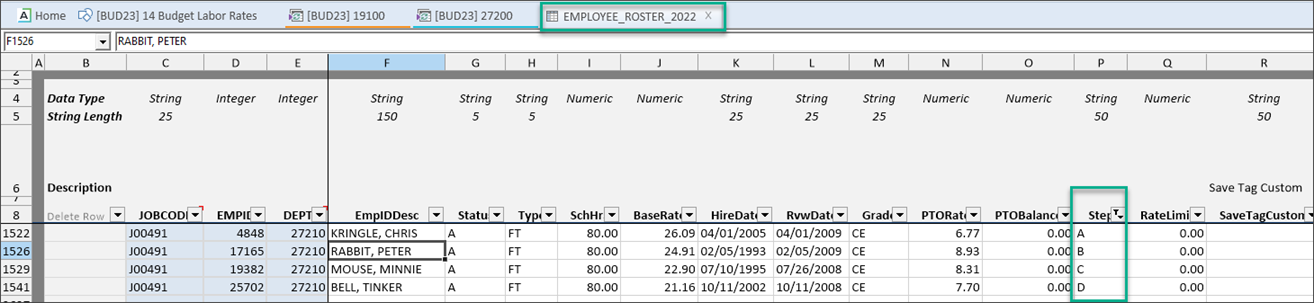
If the Step field in Empl_List or Employee_Roster_YYYY table is not populated, the Step increases cannot be applied at the employee level. If the Step code is not provided, the next applicable increase above the Step increase is applied from the driver.
-
-
Base Rates: Start and End Rates reference the employee level salary calculations performed against the base rates on the Empl_List tab. Start and End Rates in the Salary tab matches the calculated rates on the Empl_List tab when rates are set to Base in the 27 Override Driver.
-
History Rates: Current, Start, and End Rates are calculated based on either the Current Period (Regular) or the YTD values (all other standard pay types) from the Act_Pay27 tables. Salary adjustments are calculated on the Empl_List at employee level and applied to the historical calculated rates on the Salary tabs. The Current, Start, and End Rates in the salary tabs will not match what is shown on the Empl_List since they are calculated from posted dollars/hours as opposed to the reported Base Rates from Payroll.
-
Global Rate: This rate comes directly from the 27 Budget Override Driver. This rate overrides all base or historical calculations and does not apply Merit or Market Increases. Start and End Rates will be the rate entered in the driver.
-
-
-
-
If
Use the Load Employee Master import to populate the Employee_Roster_YYYY table.
-
-
-
The Step field must be populated in the Employee_Roster_YYYY table, which populates the Empl_List tab in the plan file.
-
