Process the monthly forecast
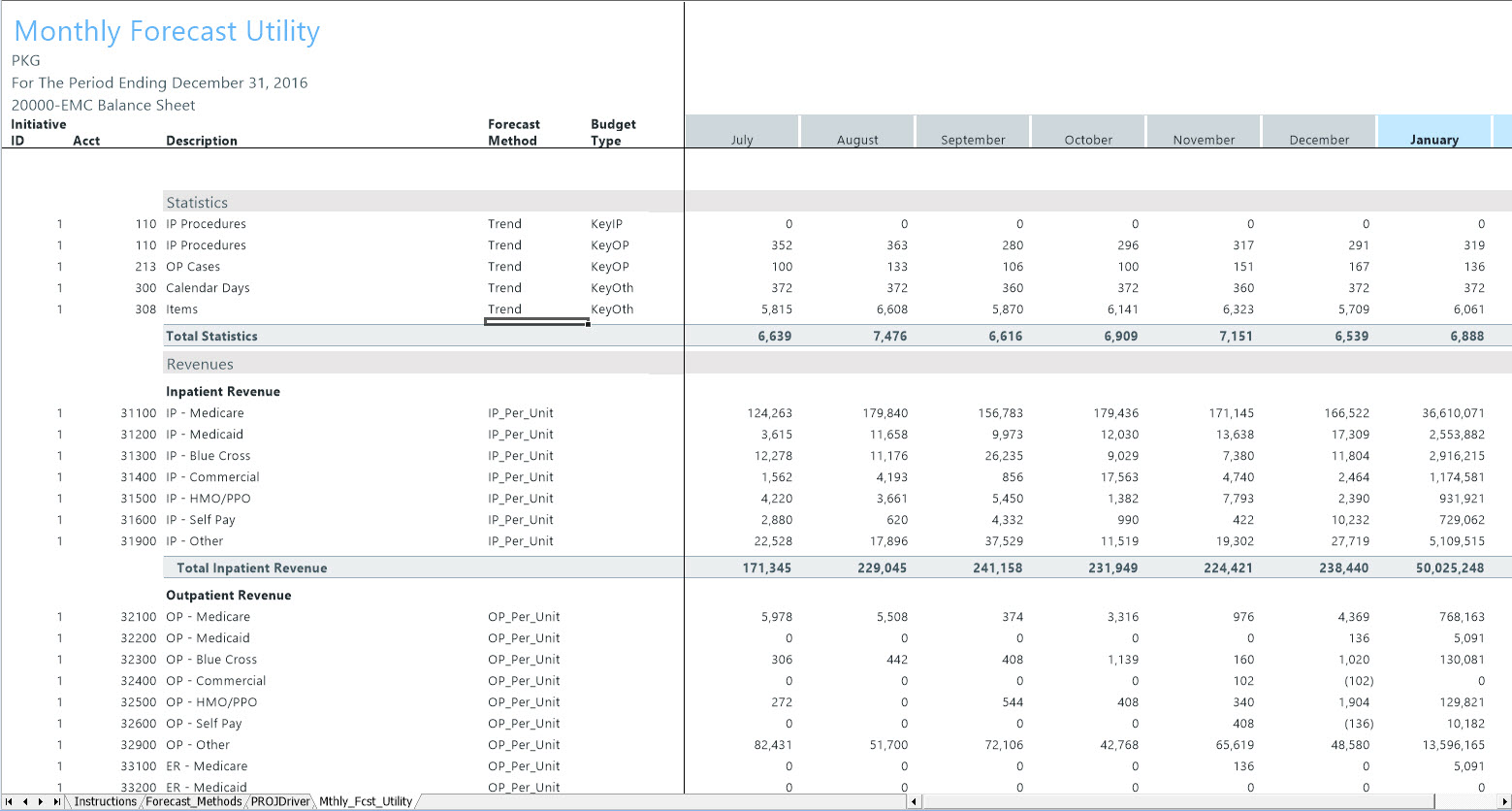
The Monthly Forecast Utility runs a report by DEPT KHABgtCode.
The system saves the results to the CYF20XX table (where 20XX is the current year) using the selected projection methods.
NOTE: This report is custom and does not support Quick Filter or Multipass.
-
Go Main > Navigation > Explorer > Libraries > Reports Library > Management Reporting Utilities > Current Year Forecast > Forecast Processing > Monthly Forecast Utility. The system opens to the Mthly_Fcst_Utility sub-tab.
-
Review the results to confirm all calculations are correct. The forecast data is available for use.
Use CYF20XX data for the following tasks
- Budget Variance reports > Monthly projections
- Budget integration with Financial Planning
- Projected Income Statement reporting
