Navigate a budget plan file
When you first open a budget plan file, the system displays two main areas: the Navigation panel (Budget Guide) and the sheet display area. By default, the Summary sheet and its associated budget sheets are displayed when the plan file is first opened.
The Navigation panel is the primary way to open the different sheets that make up the budget plan file. To open a specific sheet, double-click the tab name.
NOTE: If your organization is licensed to use the Provider module, the Navigation panel includes links to those sheets.

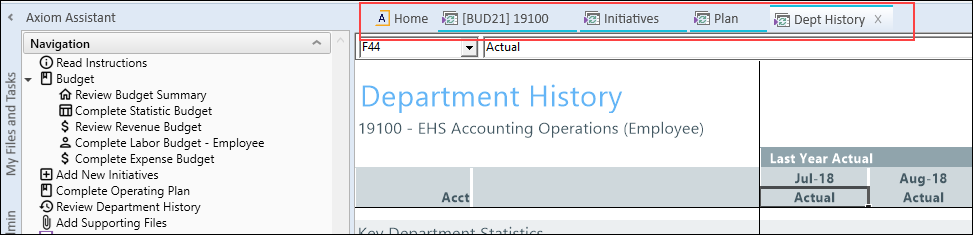
Each sheet you open is displayed as a separate tab in the plan file. The exception are the budget tabs, which are grouped and open together as a unit to facilitate the process of adding and entering values. To move from one tab to another, use the Navigation panel or click the tab at the top of the display area.
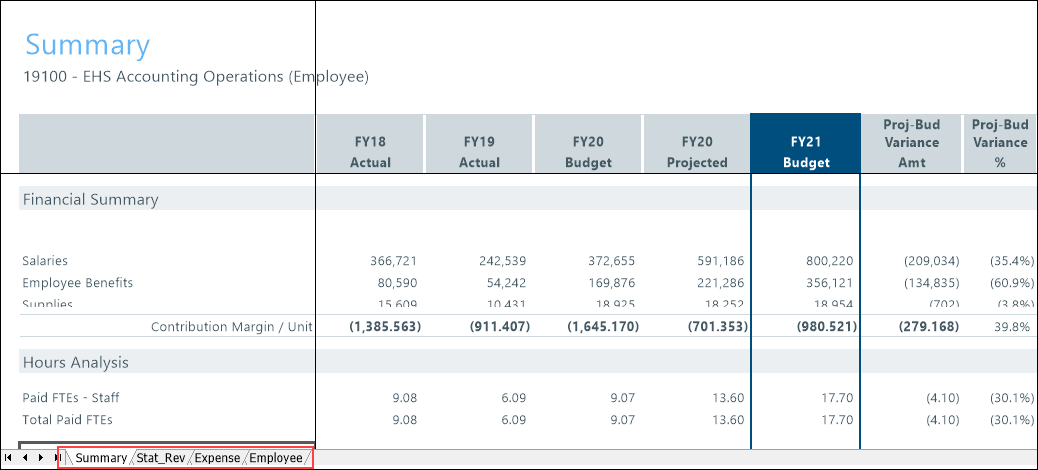
In the grouped budget sheets, you can also click the tab names at the bottom of the display area.
Double-click the Double click to show details or Double click to hide details option to expand or collapse the job code details.
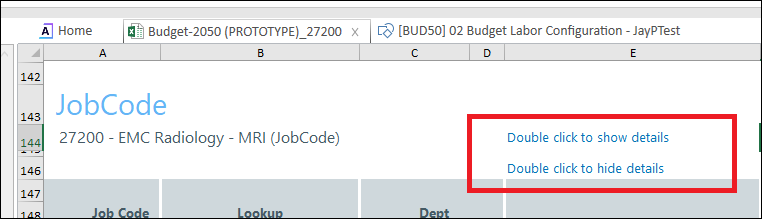
This option is available on the following tabs:
- Employee
- Jobcode
- Staffing
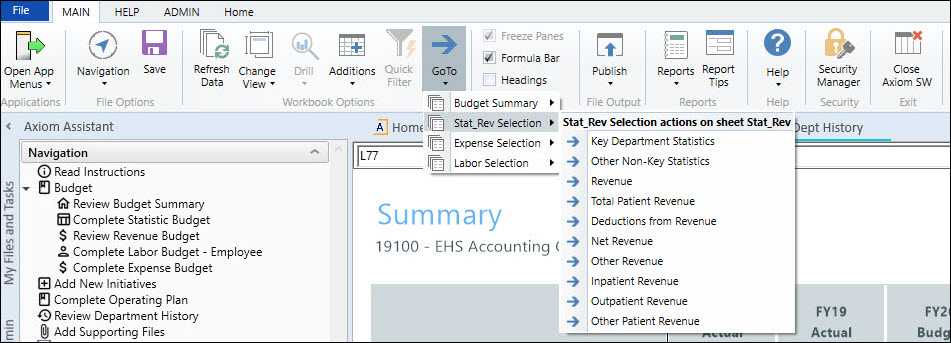
You can navigate to different sections within sheets by using the GoTo function on the Main ribbon tab. This function opens a dropdown menu that lists links to specific sections of the budget. This method is typically a faster and more convenient way of accessing the section you need when working with tabs that contain a large amount of data.
You can open multiple budget plan files simultaneously so that you can work on them from one page. To do this, click the Budgeting or Bud Admin tab, and open another budget plan file. The tabs are color-coded specific to each plan file. In the following example, the blue tabs belong to the plan files for department 19100 and the orange tabs belong to the budget for department 27200.

To close a sheet, click the X next to the tab name. If you have unsaved data, the system prompts you to save before closing.
NOTE: If only one sheet is open for the plan file and you close it, the entire plan file closes.

